

Dashboards & Live Flight Map
Everything that matters, the moment you log in: personal schedules, compliance, fleet status and a live map of your airborne flights.
Your Whole Operation on One Screen
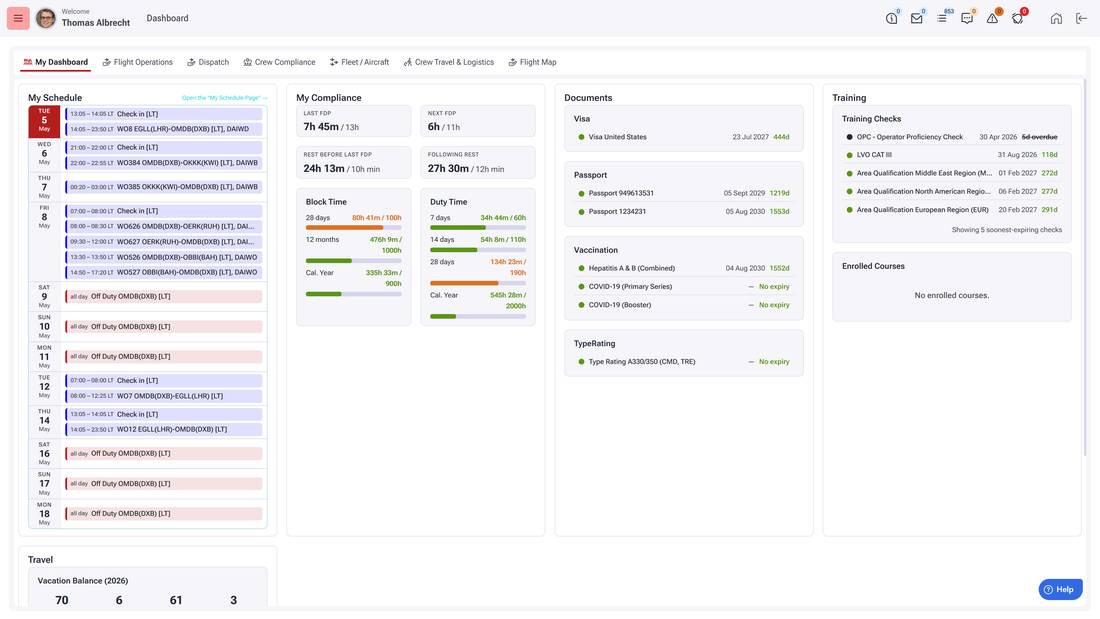
Every WinOps user starts the day on a dashboard built for their role. Crew members see their schedule, duty and rest times, documents and training status. Operations teams switch to Flight Operations, Dispatch, Crew Compliance, Fleet or Crew Travel views, each one focused on what that team needs to act on right now.
Quiet by design: what is on track stays in the background, what needs attention stands out.
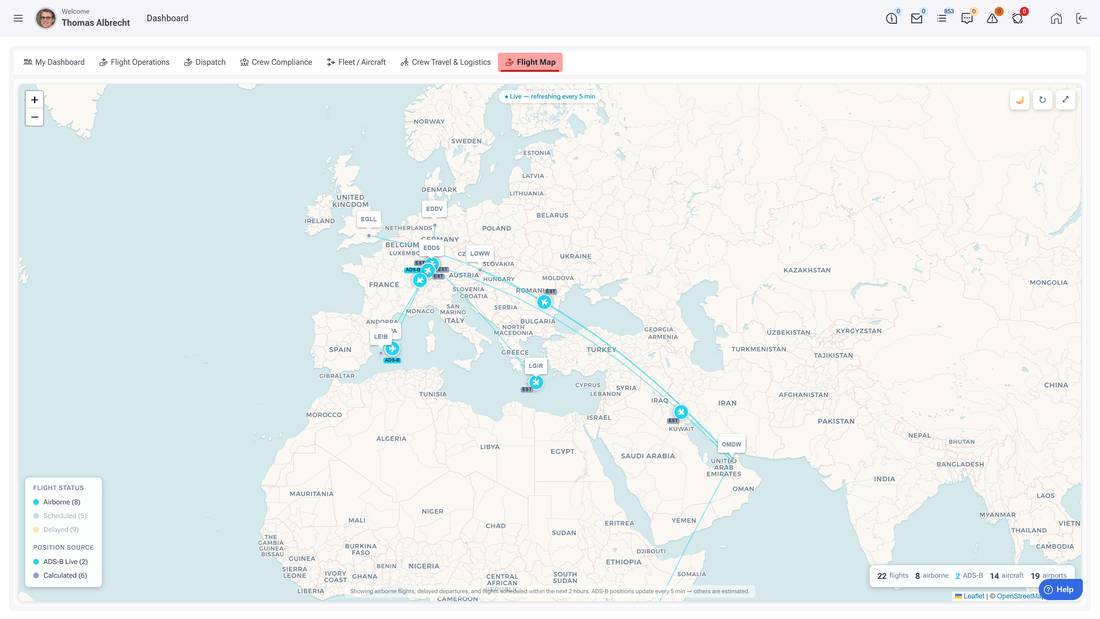
The Live Flight Map
See every airborne flight, delayed departure and upcoming movement on one live map, with real ADS-B positions where available and calculated positions everywhere else, refreshing automatically.
One glance answers the questions that otherwise cost phone calls: where are my aircraft, what is airborne, what is late.
What the WinOps Dashboards Deliver
Role-Based Views
My Dashboard, Flight Operations, Dispatch, Crew Compliance, Fleet / Aircraft, Crew Travel & Logistics and the Flight Map, each tab tailored to its audience.
Personal Compliance at a Glance
Duty and rest times, block hours, expiring documents, vaccinations and training checks - every crew member sees their own status without asking anyone.
Live Operational Picture
Airborne flights, delays and fleet status update continuously, the same real-time picture for everyone, from crew room to management.
See Your Operation on One Screen
Book a live demo and see the WinOps dashboards working on real operational data.